50 Best AI Tools in 2026 (Free + Paid) — Complete Guide by Category
By Primeroney Team | Published: June 5, 2026 | Last Updated: June 7, 2026 | 15 min read | AI Tools 2026 Guide Free Options Expert Tested

The AI tools landscape in 2026 has matured dramatically — the right stack can save you 10+ hours every week
The AI tools landscape in 2026 is extraordinary — and overwhelming. With thousands of tools claiming to be "the best," most guides simply list names without helping you understand which tool wins for which task, what the free tiers actually allow, or how to build a stack that saves you real time and money.
This guide is different. We have tested and organized the 50 best AI tools of 2026 into clear categories, with honest assessments of what each tool does best, what it costs, and who should use it. Whether you are a student, freelancer, content creator, developer, or business owner — you will find the exact tools you need here.
One fact sets the context: worldwide AI spending is forecast at $2.52 trillion in 2026 — a 44% year-over-year increase (Gartner). ChatGPT alone has 900 million weekly active users as of February 2026. AI is no longer a trend. It is infrastructure. The only question is which tools are worth your time and money.
📋 What This Guide Covers
- How to Choose the Right AI Tool in 2026
- Best AI Writing Tools 2026
- Best AI Image Generation Tools 2026
- Best AI Video Tools 2026
- Best AI Coding Tools 2026
- Best AI Design Tools 2026
- Best AI Voice and Audio Tools 2026
- Best AI Productivity Tools 2026
- Best AI SEO Tools 2026
- Best AI Research Tools 2026
- Best AI Tools for Business and Marketing 2026
- Best Completely Free AI Tools in 2026
- Master Comparison: All 50 Tools at a Glance
- Recommended AI Tool Stacks by Use Case
- 5 Common AI Tool Mistakes to Avoid
- 10 FAQs — AI Tools 2026
How to Choose the Right AI Tool in 2026

Start with your use case, not the tool name — the right choice depends entirely on what you need to accomplish
Before spending money on AI tools, use this decision framework. It prevents the most common mistake — paying for five overlapping tools when two would be sufficient.
The 4-Question AI Tool Selection Framework
- What specific task are you trying to automate or accelerate? Writing, design, video, coding, research, scheduling, or something else? Each category has clear leaders.
- How much can you spend? Many best-in-class tools have surprisingly powerful free tiers. Start free, upgrade only when you hit a genuine limitation.
- How technical are you? Some tools (Cursor, AutoGPT) require technical comfort. Others (Canva AI, InVideo) are designed for complete beginners.
- Do you need it to integrate with your existing tools? Google Workspace users benefit most from Gemini. Microsoft 365 users from Copilot. Notion users from Notion AI.
📝 Best AI Writing Tools 2026

AI writing tools have matured to the point where professional-quality content is achievable by anyone
1 Claude by Anthropic — Best for Long-Form Quality Writing
Claude consistently produces the most nuanced, accurate, and human-sounding long-form content of any AI writing tool in 2026. Its 200,000-token context window allows it to read and work with entire documents, books, and research papers in a single session. Claude excels at: blog posts, research reports, legal documents, technical writing, creative fiction, and anything requiring careful reasoning. Unlike ChatGPT, it tends to refuse fewer creative requests while maintaining high accuracy. The free tier is generous and genuinely useful for daily writing tasks.
2 ChatGPT (GPT-4o) — Best All-Around AI Assistant
With 900 million weekly active users, ChatGPT remains the world's most-used AI tool in 2026. GPT-4o handles text, images, voice, and data analysis in a single interface. It excels at versatility — switching from writing a product description to analyzing a spreadsheet to generating an image in the same conversation. The free tier now includes GPT-4o mini with generous daily limits. ChatGPT Plus adds advanced data analysis, web browsing, image generation via DALL-E 3, and priority access. The Custom GPTs feature lets you build specialized assistants for specific workflows without coding.
3 Google Gemini 2.0 — Best for Google Workspace Users
Gemini 2.0 is Google's most capable AI model and the best choice for anyone already embedded in the Google ecosystem. It integrates natively with Gmail, Docs, Sheets, Drive, and Search — allowing you to ask questions about your own emails and documents, generate content directly in Google Docs, and analyze data in Sheets with natural language. Gemini's multimodal capability (text, image, audio, video) is the most advanced of any free AI tool. Gemini Advanced (part of the $19.99/month Google One AI Premium plan) includes Google's most powerful model tier and 2TB of Google storage.
4 Jasper — Best for Marketing Copy at Scale
Jasper is purpose-built for marketing teams producing high volumes of brand-consistent content. Its Brand Voice feature lets you train it on your existing content so every output matches your company's tone automatically. It includes 50+ templates for ads, product descriptions, email campaigns, blog posts, and social media copy. The Campaigns feature lets you generate an entire multi-channel content campaign (ads, emails, landing page copy, social posts) from a single brief. Jasper is expensive for solo users but delivers exceptional ROI for teams producing 10+ pieces of content weekly.
5 Perplexity AI — Best for Research-Based Writing
Perplexity combines AI writing with real-time web search in a way no competitor matches in 2026. Every answer cites its sources — making it the most trustworthy tool for fact-based writing. It processed 780 million queries in May 2025 alone and continues to grow rapidly. Perplexity Pro adds advanced AI models (GPT-4o, Claude 3.7), unlimited file uploads, and a "Focus" mode for deep research on academic papers, YouTube transcripts, Reddit threads, or your own uploaded documents. Ideal for journalists, researchers, and anyone writing evidence-based content.
🎨 Best AI Image Generation Tools 2026

AI image generation in 2026 has reached photorealistic quality — the tools below are used by millions of designers worldwide
6 Midjourney v7 — Best Quality AI Image Generator
Midjourney v7 remains the gold standard for aesthetic quality in AI image generation in 2026. Its outputs are consistently the most visually striking, artistically composed, and professionally polished of any tool. Version 7 introduced significantly improved text rendering (a historic weakness), better prompt understanding, and enhanced photorealism. Midjourney operates through a web interface and Discord bot. No free tier exists, but the $10/month Basic plan includes 200 generations monthly — sufficient for most individual users.
7 Adobe Firefly 3 — Best for Commercial Use and Workflow Integration
Adobe Firefly is the only major AI image generator built specifically for commercial use — all training data is licensed, making outputs legally safe to use in client work without copyright concerns. Firefly 3 integrates directly into Photoshop, Illustrator, and Express, allowing AI generation within your existing design workflow rather than requiring a separate tool. The Generative Fill feature (extend images, remove objects, replace backgrounds with text prompts) is unmatched for professional photo editing. Free users get 25 generative credits monthly — sufficient for casual use.
8 DALL-E 3 (via ChatGPT) — Best Free AI Image Generator
DALL-E 3 is the most accessible high-quality AI image generator in 2026 — available free via ChatGPT and Bing Image Creator. Its greatest strength is natural language understanding: you can describe images in conversational sentences rather than needing to learn complex prompt syntax. DALL-E 3 is significantly better at text rendering than previous versions and handles abstract concepts well. For users on a budget who need occasional AI images without a dedicated subscription, Bing Image Creator (powered by DALL-E 3) provides 15 free high-quality generations daily.
9 Stable Diffusion (SDXL / Flux) — Best for Local & Custom Generation
Stable Diffusion remains the only major AI image model you can run entirely on your own computer (with a capable GPU) — meaning unlimited free generations with full privacy and complete control. In 2026, the Flux model (released by Stability AI) significantly improved quality to near-Midjourney levels. For advanced users who want customization, fine-tuning on custom datasets, and no usage restrictions, Stable Diffusion/Flux is unmatched. Beginner-friendly interfaces like ComfyUI and Automatic1111 make it accessible without coding knowledge.
🎬 Best AI Video Tools 2026
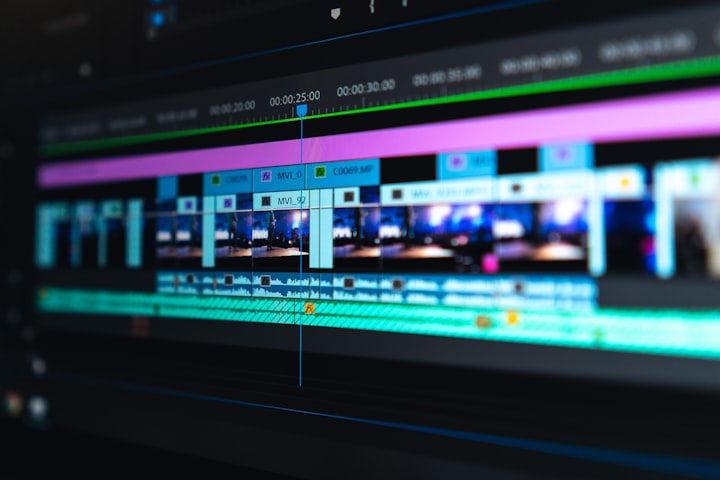
AI video tools surged 329% in professional demand in 2026 — the fastest-growing AI skill category globally
10 Runway Gen-3 Alpha — Best Professional AI Video Tool
Runway Gen-3 is the industry standard for professional AI video generation and editing in 2026. It offers text-to-video, image-to-video, and video-to-video generation — plus a full suite of editing tools including background removal, motion tracking, inpainting, and rotoscoping. The Gen-3 Alpha model produces significantly more cinematic, temporally consistent footage than previous versions. Agencies use it to create training videos, branded content, and social ads without a full production crew. The free tier includes 125 one-time credits — enough to test capabilities thoroughly.
11 OpenAI Sora — Best Photorealistic Text-to-Video
Sora produces the most photorealistic AI-generated video available to the public in 2026. Its understanding of physics, lighting, and natural motion is unmatched — videos featuring realistic human movement, environmental effects, and cinematic camera work that competitors struggle to replicate. Sora is integrated into ChatGPT Plus and Pro plans, making it accessible to existing OpenAI subscribers. Current limitations include maximum 20-second clips at 1080p and occasional consistency issues in longer generations — but for short-form commercial content, it is transformative.
12 InVideo AI — Best for YouTube and Social Media Automation
InVideo AI is the most beginner-friendly AI video creation platform in 2026 and the top choice for YouTube automation workflows. Give it a text prompt or a script and it produces a complete video with AI voiceover, stock footage, subtitles, and music in minutes. The platform includes 5,000+ templates optimized for YouTube, TikTok, Instagram Reels, and Facebook. For faceless YouTube channels and social media content creation at scale, InVideo AI dramatically reduces production time from hours to minutes per video.
13 CapCut AI — Best Free Mobile Video Editor
CapCut's AI features have made it the most-downloaded video editing app globally in 2026. Auto captions, AI background removal, smart cut, beat sync, AI effects, and one-tap video enhancement are all available in the free version. Its AI Script-to-Video feature converts written scripts into complete short videos with AI-generated visuals. For mobile-first creators making TikToks, Reels, and YouTube Shorts, CapCut AI is unmatched in terms of feature depth for zero cost.
14 Descript — Best for Podcast and Long-Form Video Editing
Descript pioneered the concept of editing video by editing its text transcript — delete a word from the transcript and it disappears from the video. In 2026, this workflow has become even more powerful with AI overdub (clone your voice to fix audio mistakes), AI eye contact correction, filler word removal, studio sound enhancement, and automatic chapter generation. For podcasters and long-form video creators, Descript reduces post-production time by 60–70% while improving output quality.
💻 Best AI Coding Tools 2026
15 GitHub Copilot — Best AI Code Assistant for Developers
GitHub Copilot is used by 84% of developers who use AI tools, according to Stack Overflow's 2025 survey — making it the most widely adopted AI coding tool by a significant margin. It integrates directly into VS Code, JetBrains IDEs, and Neovim, providing real-time code suggestions, function completion, test generation, and natural language to code conversion as you type. Copilot Chat lets you ask coding questions, explain code, fix bugs, and generate entire functions in plain English. The free tier was introduced in late 2024 and provides 2,000 completions per month.
16 Cursor — Best AI-Native Code Editor
Cursor is a VS Code fork rebuilt from the ground up for AI-assisted development. Unlike Copilot (a plugin), Cursor's AI is native to the editor — giving it deeper context about your entire codebase. Its Composer feature can generate, edit, and refactor entire multi-file codebases from natural language instructions. In 2026, Cursor has become the preferred editor for engineers who want the deepest AI integration possible. The ability to apply changes across dozens of files simultaneously with a single prompt has made it a productivity multiplier for complex projects.
17 Replit AI — Best for Beginners and Browser-Based Coding
Replit is a browser-based coding environment with powerful AI features that make it the best choice for beginners, students, and non-developers who want to build functional apps. Replit AI can generate entire applications from a text description, explain code in plain English, debug errors, and deploy finished projects with one click. No local setup required. In 2026, Replit's "Agent" mode can build, run, and debug a complete web app from a single natural language prompt — making it genuinely accessible to people with no coding background.
🖌️ Best AI Design Tools 2026
18 Canva AI — Best All-in-One Design Platform
Canva's AI features in 2026 have transformed it from a template tool into a full creative suite. Magic Design generates complete, professional designs from a text prompt. Magic Write produces copy within your designs. Background Remover works in one click. Dream Lab generates AI images directly in your design canvas. The AI Presentation maker builds full deck presentations from a topic description. With 250,000+ templates and seamless mobile app, Canva AI is the most accessible and versatile design tool available — and the free tier covers the vast majority of everyday design needs.
19 Figma AI — Best for UI/UX Designers
Figma AI in 2026 has added AI-powered wireframing, component generation from screenshots, automated design documentation, and an AI that suggests design improvements based on UX principles. The collaborative nature of Figma makes it the industry standard for product design teams. The AI features reduce the time from brief to wireframe from hours to minutes, and the design-to-code export functionality has improved dramatically — generating clean React and CSS from completed designs.
🎙️ Best AI Voice and Audio Tools 2026
20 ElevenLabs — Best AI Voice Generator
ElevenLabs produces the most realistic, emotionally expressive AI voices available in 2026 — with over 3,000 voices across 32 languages. Its voice cloning feature can replicate any voice from a 1-minute audio sample with uncanny accuracy (intended for legitimate personal use). The AI dubbing feature automatically translates and lip-syncs video content into 29 languages — transforming how global content distribution works. Sound effects generation and audio isolation are newer additions. For YouTube automation, podcast production, and eLearning, ElevenLabs is an essential tool.
21 Murf AI — Best for Professional Voiceovers
Murf AI specializes in business and professional voiceover content — presentations, explainer videos, eLearning modules, and advertisements. It offers 130+ studio-quality voices across 20+ languages with precise pitch, speed, and emphasis controls. The direct integration with Google Slides and the built-in video editor (sync voiceover to visuals without leaving the platform) makes it uniquely efficient for presentation creators. For corporate and professional use cases where ElevenLabs' extreme realism may not be required, Murf offers more controlled, consistent results.
⚡ Best AI Productivity Tools 2026

AI productivity tools save professionals 2–3 hours daily on average — the ROI of the right stack is immediate
22 Notion AI — Best AI Workspace and Note-Taking Tool
Notion AI brings intelligence to your workspace — summarizing meeting notes, writing first drafts, generating action items from project notes, translating content, fixing grammar, and extracting insights from your stored documents. The Q&A feature lets you ask questions about your entire Notion workspace ("What did we decide about the product roadmap in Q1?") and get instant answers with source citations. For teams and individuals who live in Notion, the AI add-on delivers exceptional productivity gains at a relatively low cost per user.
23 Microsoft Copilot 365 — Best for Enterprise and Office Users
Microsoft Copilot 365 embeds AI directly into Word, Excel, PowerPoint, Outlook, and Teams — the tools that run most of the world's business operations. Copilot can draft entire Word documents from bullet points, build complex Excel formulas and data analyses from natural language questions, create PowerPoint presentations from outlines, summarize email threads in Outlook, and generate meeting notes and action items in Teams. For enterprises already paying for Microsoft 365, the Copilot add-on delivers measurable productivity ROI — Microsoft reports Copilot users save an average of 1.2 hours per week.
24 Otter.ai — Best AI Meeting Assistant
Otter.ai automatically transcribes, summarizes, and extracts action items from meetings — live or recorded — across Zoom, Google Meet, and Microsoft Teams. In 2026, OtterPilot can join your meetings autonomously, take notes, and deliver a structured summary with action items to your inbox within minutes of the meeting ending. The AI chat feature lets you ask follow-up questions about any past meeting ("What was the budget decision from the February board meeting?"). For anyone who attends more than 5 meetings per week, Otter pays for itself immediately.
25 Zapier AI — Best for No-Code Workflow Automation
Zapier connects 7,000+ apps and automates workflows between them without coding. In 2026, Zapier AI allows you to describe automation workflows in plain English ("When I receive a Gmail with an invoice, save it to Google Drive, update Notion, and send me a Slack notification") and Zapier builds the automation. AI-powered Zaps can now make decisions — routing leads, categorizing emails, scoring submissions — rather than just moving data mechanically. For small businesses and solopreneurs, Zapier AI is the closest thing to having a technical operations assistant.
🔍 Best AI SEO Tools 2026
26 Surfer SEO — Best AI Content Optimization Tool
Surfer SEO analyzes the top-ranking pages for any keyword and gives you a precise data-driven blueprint to outrank them. Its Content Editor scores your article in real time as you write — recommending exact word counts, NLP terms to include, heading structure, and image count based on what Google's current top results share. The AI Outline generator and AI writer are integrated, allowing you to go from keyword to published, optimized article within the same platform. For bloggers and content agencies, Surfer SEO is the tool with the clearest, most measurable impact on rankings.
27 Semrush AI — Best All-in-One SEO Platform
Semrush remains the most comprehensive SEO platform in 2026 — covering keyword research, competitor analysis, technical site audits, backlink tracking, rank monitoring, and content optimization in one platform. Its AI features include ContentShake (AI content creation aligned with SEO data), automated site audit with AI-prioritized recommendations, and an AI writing assistant integrated throughout. The free tier provides 10 keyword searches and 10 domain analysis queries daily — valuable for research without commitment.
🔬 Best AI Research Tools 2026
28 Perplexity Pro — Best Real-Time AI Research Tool
Perplexity AI is the most reliable tool for real-time research in 2026 — combining live web search with AI synthesis and mandatory source citations. Unlike ChatGPT or Claude (which have knowledge cutoffs), Perplexity always searches the live web, making its answers current and verifiable. Pro users can choose between GPT-4o, Claude 3.7, and Sonar models depending on the research task. The Deep Research feature performs exhaustive multi-step research across dozens of sources — producing research reports comparable to what a human researcher would take hours to compile.
29 Elicit — Best AI Research Tool for Academic Papers
Elicit is purpose-built for academic and scientific research — it searches and summarizes peer-reviewed papers, extracts key findings, and helps you identify research gaps and methodological patterns across hundreds of papers simultaneously. In 2026, Elicit can process entire research libraries (PDF uploads) and generate structured literature reviews. For graduate students, academics, and professionals needing evidence-based insights from scientific literature, Elicit saves weeks of manual reading and note-taking.
📊 Best AI Tools for Business and Marketing 2026
30 HubSpot AI — Best AI CRM and Marketing Platform
HubSpot's AI features in 2026 span the entire customer journey — AI-powered lead scoring, predictive deal forecasting, email subject line optimization, AI chatbots for lead qualification, and automated content personalization. The ChatSpot tool (built on GPT-4o) lets you manage your entire CRM through natural language commands. For businesses doing inbound marketing, HubSpot AI is the most complete all-in-one solution available.
31 AdCreative.ai — Best AI for Advertising Creatives
AdCreative.ai generates high-converting static and video ad creatives optimized for Meta, Google, LinkedIn, and TikTok using AI trained on millions of high-performing ads. Its Creative Scoring feature predicts conversion performance before you spend a dollar on media. Upload your brand assets, describe your campaign, and the tool generates dozens of scored variants. For performance marketers, AdCreative.ai reduces creative testing time by 80% and consistently lifts CTR and conversion rates compared to manually designed ads.
💸 Best Completely Free AI Tools in 2026
These tools offer genuinely powerful free tiers with no credit card required — ideal for beginners and budget-conscious users:
| # | Tool | Category | Free Tier Highlights |
|---|---|---|---|
| 32 | Claude.ai | Writing / Research | Claude 3.5 Haiku, generous daily messages |
| 33 | ChatGPT (GPT-4o mini) | General AI | Unlimited GPT-4o mini, limited GPT-4o |
| 34 | Google Gemini | Multimodal AI | Gemini 1.5 Flash, Google Workspace integration |
| 35 | Canva Free | Design | 250,000+ templates, basic AI features, unlimited designs |
| 36 | Bing Image Creator | Image Generation | 15 DALL-E 3 generations/day, free |
| 37 | Grammarly Free | Writing / Editing | Grammar check, tone detection, unlimited |
| 38 | CapCut AI Free | Video Editing | Auto captions, effects, background removal |
| 39 | ElevenLabs Free | Voice / Audio | 10,000 characters/month, 3 custom voices |
| 40 | Perplexity Free | Research | Unlimited free searches with citations |
| 41 | GitHub Copilot Free | Coding | 2,000 completions/month in VS Code |
| 42 | Notion AI Free Trial | Productivity | 20 AI responses free to test |
| 43 | Google NotebookLM | Research | Upload documents, ask questions, completely free |
| 44 | Meta AI | General AI | Available free on WhatsApp, Instagram, Facebook |
| 45 | Microsoft Copilot Free | General AI | GPT-4o based, free via Edge and Bing |
Master Comparison: Top 20 AI Tools at a Glance
| # | Tool | Category | Free Tier | Starting Price | Best For | Rating |
|---|---|---|---|---|---|---|
| 1 | Claude | Writing/Research | Yes | $20/mo | Long-form quality | ⭐⭐⭐⭐⭐ |
| 2 | ChatGPT | All-purpose | Yes | $20/mo | Versatility | ⭐⭐⭐⭐⭐ |
| 3 | Gemini | Multimodal | Yes | $19.99/mo | Google users | ⭐⭐⭐⭐½ |
| 4 | Perplexity | Research | Yes | $20/mo | Real-time research | ⭐⭐⭐⭐⭐ |
| 5 | Midjourney v7 | Image Gen | No | $10/mo | Best image quality | ⭐⭐⭐⭐⭐ |
| 6 | Adobe Firefly | Image/Design | Yes | CC plans | Commercial-safe images | ⭐⭐⭐⭐½ |
| 7 | Runway Gen-3 | Video | Yes | $15/mo | Pro video creation | ⭐⭐⭐⭐⭐ |
| 8 | Sora | Video | No | $20/mo (ChatGPT+) | Photorealistic video | ⭐⭐⭐⭐⭐ |
| 9 | InVideo AI | Video | Yes | $25/mo | YouTube automation | ⭐⭐⭐⭐ |
| 10 | CapCut AI | Video/Mobile | Yes | $7.99/mo | Short-form video | ⭐⭐⭐⭐½ |
| 11 | ElevenLabs | Voice | Yes | $5/mo | AI voiceovers | ⭐⭐⭐⭐⭐ |
| 12 | GitHub Copilot | Coding | Yes | $10/mo | Code completion | ⭐⭐⭐⭐⭐ |
| 13 | Cursor | Coding | Yes | $20/mo | AI-native IDE | ⭐⭐⭐⭐⭐ |
| 14 | Canva AI | Design | Yes | $15/mo | Non-designers | ⭐⭐⭐⭐⭐ |
| 15 | Notion AI | Productivity | Trial | $10/mo add-on | Knowledge workers | ⭐⭐⭐⭐½ |
| 16 | Otter.ai | Meetings | Yes | $16.99/mo | Meeting notes | ⭐⭐⭐⭐½ |
| 17 | Surfer SEO | SEO | No | $99/mo | Content ranking | ⭐⭐⭐⭐⭐ |
| 18 | Jasper | Marketing Copy | No | $49/mo | Marketing teams | ⭐⭐⭐⭐ |
| 19 | Descript | Video/Podcast | Yes | $24/mo | Audio/video editing | ⭐⭐⭐⭐½ |
| 20 | Zapier AI | Automation | Yes | $29.99/mo | Workflow automation | ⭐⭐⭐⭐ |
Recommended AI Tool Stacks by Use Case
Stop paying for tools you don't need. These are the most cost-effective combinations for each type of user:
🆓 Best Free AI Stack (₹0 / $0)
- Writing: Claude free + ChatGPT free (alternate for variety)
- Images: Bing Image Creator (DALL-E 3, 15/day free)
- Design: Canva free
- Video: CapCut AI free
- Research: Perplexity free + Google NotebookLM
- Voice: ElevenLabs free (10K chars/month)
- Productivity: Google Gemini free (integrates with Gmail/Docs)
💼 Best Stack for Freelancers ($45–$60/month)
- Claude Pro $20 — writing, research, client work
- Canva Pro $15 — all design needs
- ElevenLabs Starter $5 — voiceovers for videos
- Perplexity Pro $20 — research and fact-checking
- Optional: CapCut Pro $8 for video editing
📺 Best Stack for YouTube Automation ($55–$70/month)
- ChatGPT Plus $20 — scripts, research, thumbnails via DALL-E
- ElevenLabs Starter $5 — realistic voiceovers
- InVideo AI Plus $25 — automated video creation from scripts
- TubeBuddy Pro $9 — YouTube SEO optimization
🏢 Best Stack for Business Teams ($100–$150/user/month)
- Microsoft Copilot 365 $30 — native integration in Word/Excel/Teams
- HubSpot Marketing Hub $15+ — CRM and marketing automation
- Jasper Pro $69 — branded marketing content at volume
- Zapier Starter $30 — workflow automation between tools
🎓 Best Stack for Students (Free to $20/month)
- Claude free — essays, research, summaries
- Perplexity free — cited research for academic work
- Elicit $12 — academic paper research
- Canva free — presentations and visual projects
- Google NotebookLM — free, upload your textbooks and ask questions
🎯 Key Takeaways — Best AI Tools 2026
- ChatGPT remains the most used AI tool (900M weekly users) but is no longer the best for every task in 2026
- Claude leads for long-form quality writing; Midjourney for images; Runway for video; GitHub Copilot for coding
- The majority of AI tool use cases can be covered by free tiers — upgrade only when you hit a genuine workflow limitation
- AI video editing surged 329% in professional demand in 2026 — the highest-growth, lowest-competition skill category
- The best AI stack is 3–5 specialized tools, not one universal tool — specialists outperform generalists in quality
- Worldwide AI spending hit $2.52 trillion in 2026 — AI adoption is no longer optional for competitive professionals
- Free all-rounder recommendation: Claude + Canva + CapCut + Perplexity + ElevenLabs (all free tiers) covers 90% of creator needs
5 Common AI Tool Mistakes to Avoid in 2026
ChatGPT Plus, Claude Pro, and Gemini Advanced all do similar things. Pick one primary writing AI and use free tiers for the others. Most people need one paid AI assistant, not three.
All AI tools occasionally hallucinate, produce bland phrasing, or miss nuance. Always review and edit AI output before publishing, sending to clients, or submitting for academic work. Your human judgment is irreplaceable.
The free tiers of Claude, ChatGPT, Canva, Perplexity, ElevenLabs, and CapCut are genuinely powerful. Spend 30 days on free tools before committing to paid subscriptions. You may find the free stack covers 90% of your needs.
A new "best AI tool ever" launches every week. The professionals earning the most with AI are not constantly switching tools — they are deeply proficient with 3–5 tools they know inside and out. Depth beats breadth.
AI-generated images, music, and text have varying copyright status depending on jurisdiction and tool terms of service. For commercial use, always use tools with clear commercial licenses (Adobe Firefly, Midjourney paid tiers) and review each platform's terms before selling AI-assisted work.
✅ Your AI Tool Setup Checklist
- Identified your #1 use case (writing, design, video, coding, or productivity)
- Created free Claude.ai account for writing and research
- Created free ChatGPT account for general assistance
- Created free Canva account for design tasks
- Created free Perplexity account for real-time research
- Downloaded CapCut app (free) for video editing
- Created free ElevenLabs account for voiceovers
- Tested each free tool for your primary use case for 7 days
- Identified which free tool has a limitation that justifies upgrading
- Subscribed to only the paid tool(s) where the upgrade is clearly justified
- Set a calendar reminder to audit tool subscriptions every 90 days
Frequently Asked Questions — Best AI Tools 2026
1. What is the best free AI tool in 2026?
The best free AI tools in 2026 are Claude.ai (best for writing and nuanced research — free tier includes Claude 3.5 Haiku with generous daily limits), ChatGPT free (best for versatility and general tasks — includes limited GPT-4o access), Google Gemini (best for Google Workspace integration — free with any Google account), Canva AI (best for design — 250,000+ templates and basic AI features free), Bing Image Creator (best free AI image generator — 15 DALL-E 3 generations daily), and CapCut AI (best free video editor with AI features). None of these require a credit card to start.
2. Is Claude better than ChatGPT in 2026?
Claude and ChatGPT excel in different areas in 2026. Claude consistently produces higher-quality, more nuanced long-form writing — essays, research reports, technical documents — with fewer hallucinations and more thoughtful reasoning. ChatGPT (GPT-4o) is more versatile — handling images, data analysis, code, voice, and web browsing in one interface. For pure writing quality and research: Claude. For maximum versatility and feature breadth: ChatGPT. Most power users use both — Claude for deep writing tasks, ChatGPT for multimodal and quick queries.
3. What is the best AI tool for content creators in 2026?
The ideal content creator stack in 2026 depends on content type. For bloggers and writers: Claude or ChatGPT + Surfer SEO + Canva AI. For YouTube creators: InVideo AI + ElevenLabs + Midjourney (thumbnails) + TubeBuddy. For social media managers: Canva AI + ChatGPT + CapCut AI. For podcasters: Descript + ElevenLabs + Cleanvoice. The common thread is pairing a strong AI writing tool with a specialized creation platform appropriate for your format — rather than using one general tool for everything.
4. Which AI tools are best for students in 2026?
The best free AI tools for students in 2026 are: Claude free (essays, summaries, explaining concepts), Perplexity free (cited research — essential for avoiding plagiarism), Google NotebookLM (upload textbooks and ask questions — completely free), Elicit (academic paper research), Canva free (presentations), and Grammarly free (grammar and clarity checking). These five tools cover research, writing, design, and editing — the core academic workflow — entirely for free. Always check your institution's AI use policy before submitting AI-assisted work.
5. What AI tools do professional marketers use in 2026?
Professional marketers in 2026 use: Jasper for brand-consistent marketing copy at volume, Surfer SEO for content optimization, AdCreative.ai for ad creative generation and scoring, HubSpot AI for CRM and lead management, Canva Pro for visual content, ElevenLabs for video voiceovers, Semrush AI for competitive keyword research, and Zapier for automating repetitive marketing workflows. According to McKinsey, 71% of organizations regularly use generative AI in 2024 — a figure that has risen significantly entering 2026, with marketing being one of the top functions driving adoption.
6. How much should I spend on AI tools per month in 2026?
For individuals: $0–$20/month covers most use cases (one AI assistant subscription plus free tools for design, video, and research). For freelancers and content creators: $40–$70/month for a complete professional stack. For small business teams: $100–$200/user/month for enterprise-grade tools. Start with free tiers for 30 days — you will quickly identify where paid upgrades deliver genuine value versus where free is sufficient. Do not subscribe to more than two AI writing tools simultaneously; the overlap in capability rarely justifies the combined cost.
7. What is the best AI tool for making money online in 2026?
The best AI tools for making money online in 2026 are: Claude or ChatGPT (AI freelancing — write content for clients), Canva AI (sell design services and digital products), InVideo AI + ElevenLabs (YouTube automation channel for passive ad revenue), Midjourney (print-on-demand designs to sell on Etsy and Merch by Amazon), and Surfer SEO + Claude (build affiliate blogs that rank on Google). The combination of Claude + Canva + InVideo covers writing, design, and video — the three highest-demand freelancing categories — for under $50/month combined.
8. Are AI tools safe and private to use in 2026?
Privacy varies significantly by tool and plan. Most AI tools use your conversations to improve their models unless you opt out — check each platform's privacy settings. Enterprise plans (Claude for Teams, ChatGPT Enterprise, Gemini Workspace) offer stronger data protection and opt out of training by default. For sensitive work (legal, medical, financial documents), use enterprise-grade tools or run open-source models (Llama, Mistral) locally on your own hardware. Never input passwords, personal identification, or client-confidential data into any cloud AI tool without reviewing its data handling policy first.
9. Will AI tools replace human jobs in 2026?
AI tools are automating specific tasks, not entire jobs. In 2026, the clearest pattern is task displacement rather than wholesale job replacement — AI handles drafting, formatting, transcribing, and basic generation while humans handle strategy, judgment, client relationships, and quality control. Workers who use AI tools earn a 56% wage premium over comparable workers who do not (Upwork research, 2026). The biggest career risk in 2026 is not AI replacing you — it is another human who uses AI replacing you. Learning the right tools is now a career essential, not an optional advantage.
10. What will be the biggest AI tools in 2027?
Based on current trajectories and announced roadmaps, the AI tools set to dominate in 2027 are: autonomous AI agents (tools that complete multi-step tasks without human input for each step), real-time AI video avatars for content creation, AI models running natively on-device without internet connection, deeply integrated workplace AI (AI embedded in every software tool rather than accessed separately), and personal AI models trained on individual users' preferences and data. The shift from AI as a tool you use to AI as an active collaborator is the defining trend heading into 2027.
🚀 Start Using AI Tools Today
You now have the complete guide to the 50 best AI tools of 2026 — categorized, compared, and stacked for every use case. Start with the free tools, find what fits your workflow, and upgrade strategically.
👉 Also Read: How to Make Money Online With AI in 2026 — 12 Proven Methods →
Which AI tool has made the biggest difference in your work? Drop a comment below — and subscribe to Primeroney for weekly updates on the best AI tools, earning strategies, and digital trends.
More From Primeroney
- 15 Best Passive Income Ideas in India 2026 (With AI)
- Freelancing With AI in India 2026 — Earn ₹50,000/Month
- How to Make Money Online With AI — 12 Proven Methods (2026)
- Best AI Tools for YouTube Automation in 2026
- 15 Best Completely Free AI Tools for Beginners in 2026
Disclaimer: Tool pricing and features change frequently. Always verify current pricing at each tool's official website. Some links on this page may be affiliate links — read our full Disclaimer for details. Primeroney is not affiliated with any AI tool company mentioned in this article unless explicitly stated.


No comments:
Post a Comment